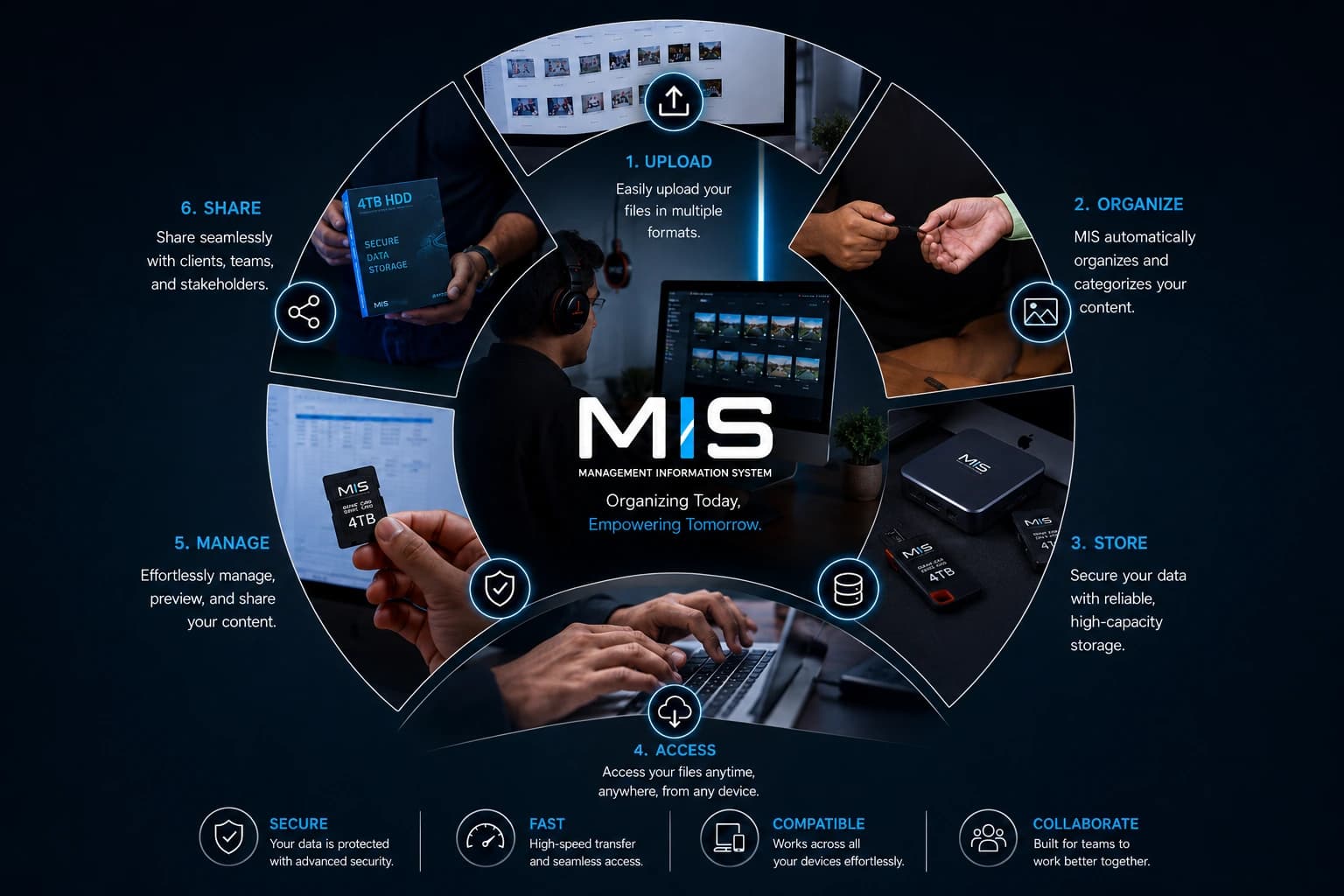
A Management Information System is a single secure platform where a team uploads, organises, stores, accesses, manages and shares its content from one place. Instead of files scattered across hard drives, inboxes, WhatsApp threads and someone's phone, everything lives in one system where the right file reaches the right person in seconds.
For most teams the problem was never a lack of content — it was that the content existed everywhere and nowhere at once. The photo a client needs is on a card that went home in a bag. The final cut is three folders deep under a name only the editor remembers. An MIS ends that quiet daily tax by giving a scattered pile of files one searchable home.
01What an MIS Actually Does
Think of it as a content lifecycle. Every file moves through six stages, and a good system handles all six without you thinking about the plumbing.
| Stage | What happens | Why it matters |
|---|---|---|
| 1. Upload | Files come in, in any format | Nothing is left on a card or a phone |
| 2. Organise | The system auto-sorts as content arrives | You find things by searching, not by naming folders |
| 3. Store | Data kept on reliable, high-capacity storage | No lost files, no single point of failure |
| 4. Access | Retrieve anything, anywhere, on any device | The right asset in seconds, not hours |
| 5. Manage | Preview, edit and version in place | One source of truth instead of five near-copies |
| 6. Share | Distribute securely to clients and stakeholders | A secure link replaces giant attachments |
02The Four Foundations
Six stages describe what it does. Four qualities decide whether it can be trusted to do it daily, at scale:
- Secure — permission-based access and encrypted storage, so only the right people see each file
- Fast — high-speed transfer, so you are never waiting on a download bar while a client waits on you
- Compatible — a file uploaded on a phone opens cleanly on a client's laptop
- Collaborative — everyone works in the same space, looking at the same current version
A shared drive stores your files. A Management Information System manages them. That is the difference between a cupboard and a librarian.
03Why Event Teams Need One Most
Few businesses generate content as fast, or as chaotically, as a live event. A single two-day trade show can produce several thousand photographs and dozens of clips across multiple sponsors, sessions and activations — all needed by different people, in different formats, on different deadlines. Without a system that flood becomes a mess that takes weeks to untangle.
- Sponsors get activation images in a clean, permissioned folder — not a blurry three-photo email
- Press receives high-resolution, captioned images within hours, while the story is live
- Marketing pulls the hero shot, the recap film and a month of social from one place
- Next year's prospectus images are exactly where they should be, twelve months later
04MIS vs a Shared Drive
A shared drive feels like it does the job, until it does not. It gives you folders and manual naming, and trusts every person to follow the same discipline forever — which never happens. An MIS adds what the drive is missing: automatic organisation, permission-based access, version control, secure sharing links, and a record of who did what. A drive is passive storage; an MIS is a system you can run a business on.
Everything we capture is uploaded, auto-organised and stored securely the moment it comes off the cameras — so thousands of images from a show floor become something you can use the same week, and can still find a year later.
05Frequently Asked Questions
What is an MIS in simple terms?
A single, secure digital platform where a team uploads, organises, stores, accesses, manages and shares its content from one place, so the right file reaches the right person in seconds.
What are the main functions of an MIS?
Six: upload, organise, store, access, manage and share — the full content lifecycle from the moment a file is created to the moment it is put to use.
How is it different from a shared drive?
A drive stores files; an MIS manages them. It adds automatic organisation, permission-based access, previews, version control, secure sharing links and an audit trail.